StartKleen Legacy + Manager on the Go
Please click one of the choices below to watch:
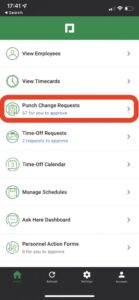
How to – Approve Punch Change Requests
How to – Approve Time Cards Daily/Weekly
How to – Personal Action Form: Pay Raise, Term, Transfer, Discipline, Retro Pay
Employee Self Service Paycom Help
How to See Pay Period Daily Totals for Employees
Como Ver los Totales Diarios del Periodo de Pago Para el Empleado
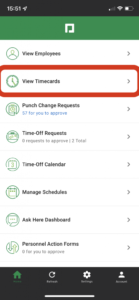
1. Select View Timecard
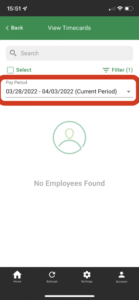
2. Select the Date (Current Period)
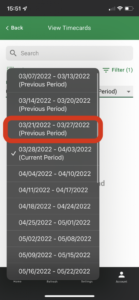
3. Select the Date you want to review
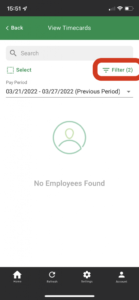
4. Select Filter
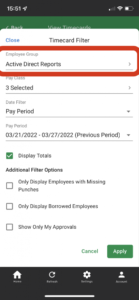
5. Filter according to your preferences.
Select Active direct reports
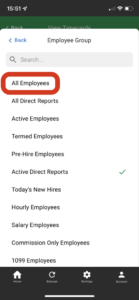
6. Change Active Direct reports to preferred filter
Select All Employees
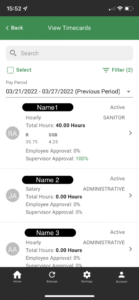
7. Scroll and select the preferred employee
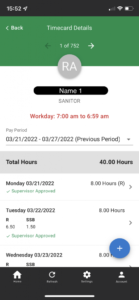
8. This is the employee’s Main info showing the pay period and total hours
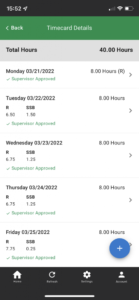
9. Scroll for each day’s hours for the selected employee
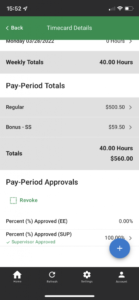
10. Scroll more to see weekly and pay period totals
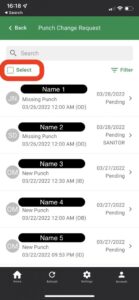
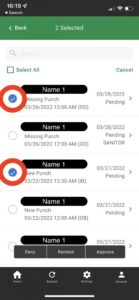
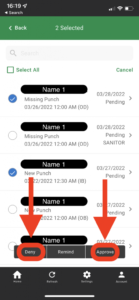
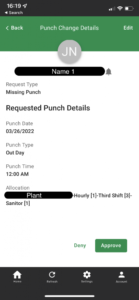
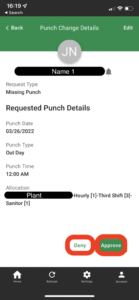
How to Approve/Deny a Punch Change Request
Cómo aprobar/denegar una solicitud de cambio de marcaje
To approve/deny one punch change request
Para aprobar/denegar una solicitud de cambio de marca
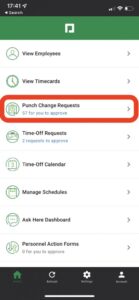
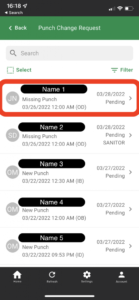
To approve/deny multiple punch change requests
Para aprobar/denegar múltiples solicitudes de cambio de marcaje